
What Tiimo actually is and who it is built for
Tiimo is a visual daily planner. It takes your tasks and routines and maps them onto a visual timeline, turning the abstract concept of "what I need to do today" into something you can see. The design won Apple's App Store App of the Year for 2025, and that recognition is deserved on the design merits. The visual timeline is clean, the autism-friendly UI patterns are thoughtful, and the body-doubling integration gives users social accountability built into the scheduling experience.
Tiimo was designed with neurodivergent users in mind, and it shows. The "anytime tasks" system lets you add things to your day without forcing them into strict time slots, which reduces the rigidity problem somewhat. The visual representation of time as a flowing timeline rather than a list of items addresses the "time isn't abstract anymore, I can SEE it" insight that comes up repeatedly in ADHD user research. For people who benefit from visual structure, predictable routines, and the calm of a day mapped out in advance, Tiimo does that well.
The people Tiimo fits best tend to have a consistent daily rhythm they want to protect and externalize. Morning routines, transition anchors, end-of-day habits: Tiimo shines at making those routines visible and automatic. It also fits people who find body doubling helpful and want that social layer integrated into their scheduling tool.
Where Tiimo falls apart for a different kind of ADHD adult
The most common Tiimo complaint in ADHD communities is not a bug. It is a design philosophy mismatch. App Store reviews describe it directly: "I never followed my routine exactly, and it began to weigh heavy on my mind." Another: "When I just input non-negotiable items, it's no different than Google Calendar." A third, spending 90 minutes in setup: "90 minutes in and I've made 0 progress."
The pattern is consistent: ADHD adults invest time in building beautiful schedules in Tiimo, then diverge from those schedules because the day never goes as planned, then feel the familiar guilt of a system they are failing rather than a system that is failing them. The schedule becomes another form of expectation the ADHD brain cannot reliably meet.
The research on this is fairly clear. ADHD adults who struggle most with task management often have the planning capability intact and the execution capability impaired. They can build a schedule. The problem is that the schedule assumes they will be able to look at "2pm to 3pm: email inbox" and start working on email at 2pm. But that transition from state X to task Y is precisely where the executive function deficit lives. The schedule describes what should happen. It does not help with the neurological barrier to starting it.
Tiimo also has documented friction around input. The color-coding, icon selection, and repetition settings create what reviews call "setup exhaustion." For ADHD adults who are already struggling with executive function, the act of building a schedule is itself a task that competes with doing actual work. One review describes the customization as "so endless that it takes too much time to input even something basic."
There is also a secondary complaint specific to routine-based apps: Tiimo's auto-play feature runs at a pace "too optimistic" for many users, and when real life creates even a small deviation from the scheduled order, the routine can feel broken rather than adaptable.
The planning trap and why it is not a character flaw
The planning trap is specific: ADHD adults can plan. Many are excellent at it. The issue is that planning feels productive and activates some of the same reward pathways as doing. "I spent an entire weekend setting up a Getting Things Done system in Todoist with tags, filters, projects, and labels. Used it for exactly three days before it felt overwhelming." That pattern from ADHD task app research is about the planning-doing gap, and it applies directly to visual schedulers too.
When the schedule is the product, you are one step further from actually doing the work. Every minute spent optimizing the visual timeline in Tiimo is a minute of planning, not executing. For ADHD adults whose main gap is between knowing what to do and actually starting it, a tool that adds planning steps is moving in the wrong direction.
This is not a judgment on Tiimo or the people who build beautiful schedules in it. It is a description of why the same tool produces dramatically different results for different ADHD adults: some people find that externalizing the schedule into a visual format is enough to bridge the execution gap. Others find that the schedule adds overhead without solving the initiation problem.
What a different approach looks like
KickMint starts from a different premise: instead of asking you to plan your day in advance and then follow the plan, it reads your state in the moment and makes the decision for you.
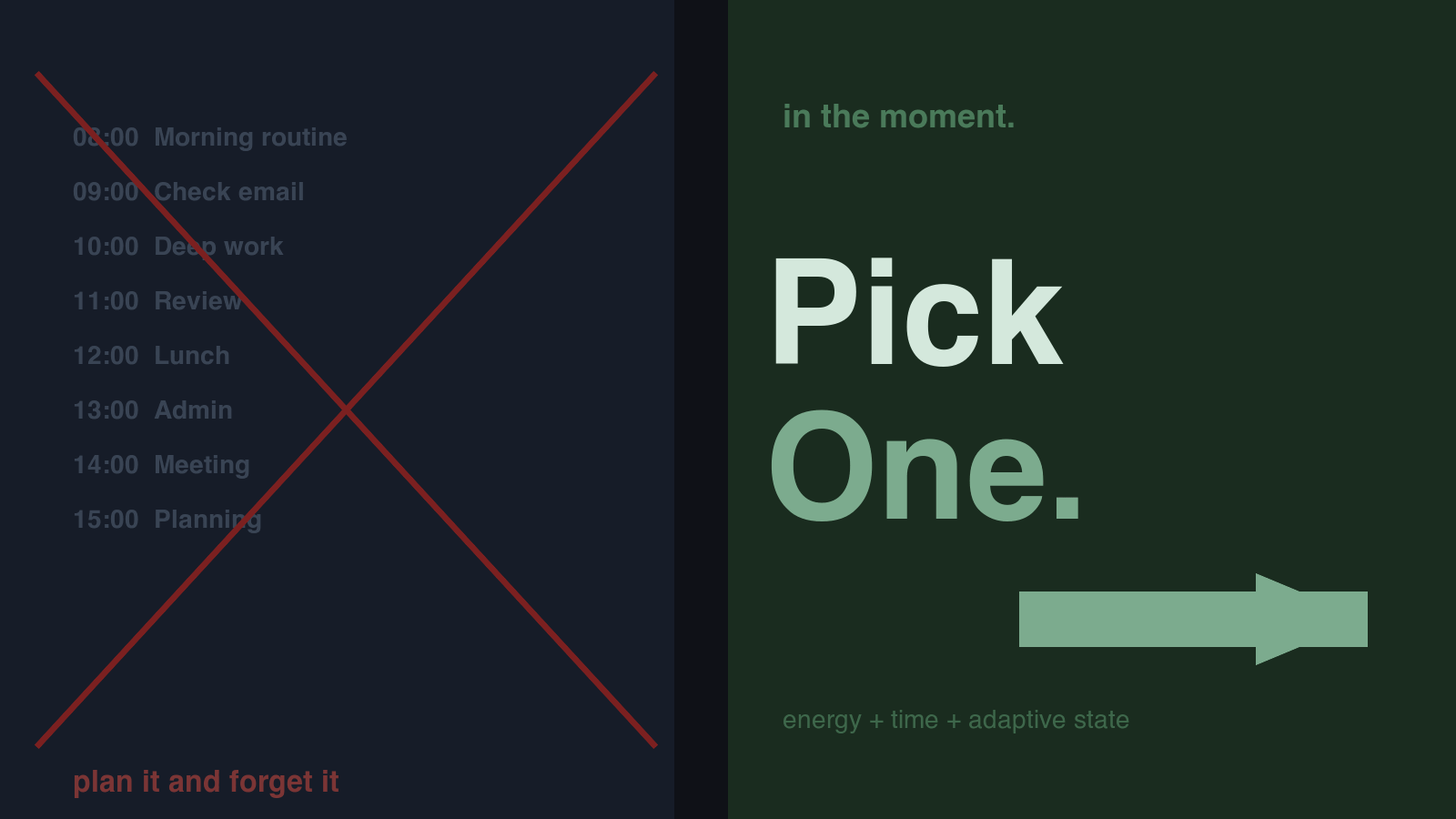
Pick One is the first thing you see. You tap it once. The app reads your adaptive state: time of day, which energy tier that maps to, your optional cycle phase, your optional medication window. It looks at your task list, picks the task that fits your current state, and suggests a session length: 5 minutes, 25 minutes, or 45 minutes. One re-roll is available if the pick feels completely wrong. Then the app force-picks. The force-pick is not punitive. It is a deliberate friction against the infinite re-roll loop that is its own form of avoidance. You get one re-roll because "I genuinely cannot do this task right now" is real, and infinite re-rolls are not.
The task breakdown that follows uses if-then implementation intentions. Wieber, Thuermer, and Gollwitzer (2015) ran a meta-analysis of 28 studies on this format across 1,636 participants and found a mean effect size of d=0.99. The format works because it pre-loads the next action as an automatic response to a situation cue rather than requiring an active decision at the transition point. Each step ends with a concrete handoff: "If you finish this step, then immediately open that document." No vague "continue with the task." A specific, committed next action already decided.
None of this requires a pre-built schedule. It works when the day has already gone sideways, when the morning routine collapsed, when the 2pm meeting ran to 4pm and there are two hours left and you have no idea which of your fifteen things to touch first. That is exactly when Tiimo's schedule is most likely to feel useless and most likely to generate guilt. Pick One is designed for that exact moment.
Feature comparison
| Feature | Tiimo | KickMint |
|---|---|---|
| Core approach | Visual schedule you build and follow | In-the-moment task picker, no pre-planning needed |
| AI task breakdown | Yes (cloud-based) | Yes (on-device, Qwen 2.5 1.5B, no data leaves device) |
| Body doubling | Yes, integrated | No |
| Visual timeline / schedule | Yes, core feature | No |
| In-the-moment task selection | Limited (anytime tasks) | Yes, Pick One (core feature) |
| Platform | iOS, Android, web | iOS only (iPhone 11+) |
| Note storage | No | Yes |
| Panic Button with paced breathing | No | Yes (free tier) |
| Time-Now Anchor for time blindness | No | Yes (free tier) |
| Visible focus timer ring | Yes (with noted glitches) | Yes (Wennberg 2018 RCT, d=1.0) |
| Medication-aware scheduling | No | Yes (free, on-device) |
| Cycle-aware task ordering | No | Yes (free, on-device) |
| Cross-device sync | Yes, cloud | No, single device by design |
| Data leaves device for AI | Yes | No |
| Free tier | Yes | Yes |
| Lifetime purchase | No | Yes ($209.99) |
| Monthly price (source, checked 2026-08-30) | Not published; shown at checkout | $8.99/mo |
| Yearly price (checked 2026-08-30) | Not published; shown at checkout | $59.99/yr |
What Tiimo does that KickMint does not
Tiimo's visual timeline is a real feature for a real population. ADHD and autism communities consistently describe the experience of seeing time as blocks rather than numbers as meaningful. The "time isn't abstract anymore, I can SEE it" insight that appears in ADHD research almost word-for-word across dozens of sources maps directly to what Tiimo's timeline does. If you benefit from visual routines and predictable structure, the timeline is valuable in a way that KickMint does not offer.
Body doubling is the second concrete advantage. Tiimo integrates body-doubling sessions, and body doubling has some of the strongest anecdotal and survey evidence of anything in the ADHD productivity space. Focusmate reports an average 152% productivity increase among regular users with ADHD. That number needs scrutiny (self-reported, non-randomized), but the mechanism is real: another person's presence creates perceived accountability that changes behavior. Tiimo having this built in is significant. KickMint has no equivalent.
Tiimo is also cross-platform: iOS, Android, and web. If you use an Android phone or need access from a laptop browser, Tiimo is available and KickMint is not.
The autism-friendly design patterns in Tiimo are also worth naming. Tiimo was built with input from autistic users and has specific accommodations for sensory processing differences: predictable transitions, clear visual language, and a structure-forward interface that reduces ambient uncertainty. For AuDHD users who find unpredictability distressing, Tiimo's schedule-first approach provides a kind of security that KickMint's moment-to-moment picking does not.
What KickMint adds beyond what Tiimo covers
The most significant difference beyond Pick One is the on-device AI architecture. KickMint runs Qwen 2.5 1.5B entirely on your iPhone. When you type a task and request a breakdown, that text goes into a prompt that runs locally through llama.cpp. Nothing leaves the device. Tiimo's AI planning feature is cloud-based, which means your task text travels to an external service. For ADHD adults who type sensitive context into their task descriptions, the privacy difference is real. A 2025 survey of ADHD adults (arXiv 2603.17258) found that 77% rated privacy as "very important" or "mandatory" for any ADHD support tool.
The Panic Button is available in the free tier and takes one tap from the Focus screen. It runs four cycles of paced breathing before returning you to a single first step, with no logging and no guilt-framing. For ADHD adults who experience overwhelm spikes during sessions, having a structured exit path that does not require opening a different app matters. Tiimo has no equivalent.
The Time-Now Anchor addresses time blindness differently from Tiimo's timeline. Rather than showing you a schedule of what you planned to do, it shows you where "now" sits relative to two anchor events: lunch and end-of-work. No clock, no countdown, no remaining-time framing. The goal is to give the ADHD brain a sense of where it is in the day without generating urgency. This is calibrated to the Wennberg (ECAP 2018) finding that visible time representation produces a d=1.0 effect on time management in ADHD, while avoiding the stress-response risk that countdown timers can create.
Medication-aware and cycle-aware scheduling are Pro features that Tiimo does not offer. The medication-aware logic schedules harder tasks during the on-ramp window when stimulants are most effective and low-friction tasks during the trough. Cycle-aware pacing adjusts task difficulty based on cycle phase, backed by Eng et al. (2023), which documented a clinically significant average 2x increase in ADHD symptoms during the perimenstrual phase for many people. Both features process everything on-device; no health data is transmitted.
Honest tradeoffs before you decide
KickMint is iOS only. Tiimo has Android and web. If you are not on iPhone, the comparison ends here.
Tiimo has body doubling. KickMint does not. If body doubling is a primary tool for your ADHD management, Tiimo addresses that need and KickMint does not.
Tiimo's visual schedule is a genuine feature for users who benefit from structure and predictability. KickMint has no visual timeline and no routine-builder. If you want to protect and externalize your morning routine in a visual format, Tiimo does that and KickMint does not.
Tiimo has documented reliability issues: App Store reviews describe timer glitches, sync problems that duplicate routines, and an iPad layout that does not scale well. Tiimo is an award-winning app from a team that clearly cares about the product, but it has rough edges. KickMint is a smaller operation (one developer, Lithuanian sole proprietor) with a narrower scope and faster iteration cycles on the specific ADHD-initiation problems it targets.
If the planning trap is your main problem with productivity apps, including Tiimo, KickMint is worth trying on the 30-day free Pro trial. If body doubling and visual routines are what you primarily need, Tiimo is probably the better fit and KickMint is at best a complement. Many users find the combination of Tiimo for structured routine periods and KickMint for unstructured work blocks covers both problems without either tool trying to do what it is not designed for.
Related reading
Frequently asked questions
What is Tiimo and who is it designed for?
Tiimo is a visual daily planner and routine app that won the Apple App Store App of the Year award for 2025. It uses a visual timeline to display your day as time blocks, making the schedule tangible rather than abstract. It was originally designed with autism and ADHD users in mind, particularly for people who benefit from visual structure and predictable routines. Its body-doubling integration and autism-friendly UI patterns make it a strong fit for some users. Its main limitation for many adults is that it depends on a pre-built schedule you then follow, and for ADHD adults who cannot reliably plan in advance, that schedule often goes unused.
What is the most common Tiimo complaint on ADHD forums?
The most consistent complaint in Tiimo reviews from ADHD users is that the app requires you to build a schedule in advance, and then the schedule becomes something you feel guilty about not following. Users describe investing time in building beautiful routines and then finding that deviating from the set plan creates psychological strain rather than support. One review summarizes it: "I never followed my routine exactly, and it began to weigh heavy on my mind." A secondary complaint is input complexity: the color-coding, icons, and repetition settings create setup exhaustion for users who are already struggling with executive function.
How does KickMint's Pick One differ from Tiimo's schedule approach?
Tiimo asks you to plan your day in advance as time blocks and then follow that plan. KickMint's Pick One makes no assumptions about what your day will look like. You tap Pick One, the app reads your adaptive state (time of day, energy level, optional cycle phase, optional medication window) and picks one task from your existing list, suggesting a session length of 5, 25, or 45 minutes. You get one re-roll if the pick feels wrong, then the app force-picks. The difference is that Tiimo is structure-first and KickMint is initiation-first. They address different points in the ADHD failure chain.
Is KickMint available on Android like Tiimo?
No. KickMint is iOS only, supporting iPhone 11 and newer running iOS 17.0 or later. Tiimo has Android support and a web version. If your primary device is not an iPhone, KickMint is not available to you. This is a real constraint, not a minor footnote. Tiimo's cross-platform support is a genuine advantage for users who need access across devices.
Does KickMint have body doubling like Tiimo?
No. Tiimo has integrated body-doubling sessions. KickMint has no body-doubling feature. If body doubling is a primary strategy for your ADHD management, Tiimo addresses that need directly and KickMint does not. KickMint's focus is on solo task initiation and in-session execution: Pick One, on-device AI breakdown, visible timer ring, Panic Button for overwhelm, and Time-Now Anchor for time blindness.
What does KickMint have that Tiimo does not?
KickMint has on-device AI task breakdown (Qwen 2.5 1.5B, no data leaves the device), a Panic Button with paced breathing for overwhelm spikes (one tap from the Focus screen), a Time-Now Anchor for time blindness (shows where "now" sits relative to lunch and end-of-work without urgency), medication-aware scheduling (hard tasks in the on-ramp window, low-friction tasks in the trough), cycle-aware pacing (backed by Eng et al. 2023 on 2x ADHD symptom severity in the perimenstrual phase), and focus soundscapes that play offline. Tiimo cannot store notes. KickMint does not have Tiimo's visual routine timeline or body-doubling sessions.
Can I use both Tiimo and KickMint together?
Yes, and some people do. Tiimo for morning and evening routines where visual schedules and predictability help, KickMint for the work blocks in between where task initiation and moment-to-moment decisions are the challenge. They solve different problems. The meaningful friction between them is that both add to the number of apps you need to open. If you are already managing app overload, that is worth factoring in.