What actually leaves your phone when you use an ADHD app
Pull up the network traffic from an ADHD productivity app that uses cloud AI for any of its features. What you see is not just your task list going out. It is everything the app has been told about you to make its AI useful.
The more capable the AI personalization, the more context it needs to work with. Mood check-in this morning: sent. Sleep duration from Apple Health: sent. Medication timing you entered to get better task suggestions: sent. Cycle phase you added because the app said it would calibrate task difficulty: sent. Task text for the breakdown you just requested, including "follow up with psychiatrist about dose" and "deal with the vet bill I've been ignoring for six weeks": sent.
This is not unusual or particularly sinister. It is how cloud AI products work. You give the model context, the model gives you a better answer, and the context travels through the company's servers to reach the model. Most users implicitly understand this when they think about it. Many just never think about it.
A 2025 academic survey of ADHD adults (arXiv 2603.17258, n=roughly 400) found that 77% of respondents rated privacy as "very important" or "mandatory" for any ADHD support tool. That number is worth sitting with. The researchers specifically noted that ADHD adults show heightened concern about neurodivergence disclosure and its professional consequences. Telling an app about your medication schedule, your mental health context, and your executive function struggles creates a data profile that is meaningfully different from a to-do list.
The specific categories of data and why each one is sensitive
Let us be concrete. These are the categories of private data that ADHD apps with AI features typically need to collect for personalization, and why each category carries risk beyond simple productivity data:
Task text. The most obvious one. If the app uses a cloud LLM for breakdown, your task descriptions go to a third-party model provider. The specific language in your tasks often reflects what is most stressful in your life right now: financial situations, health concerns, relationship dynamics, work situations you have been avoiding.
Mood and energy logs. Many ADHD apps run a morning check-in to calibrate task suggestions. Over weeks or months, that data forms a detailed picture of your mental health trajectory. Insurers have been documented purchasing this kind of data from health apps. The FTC has taken action against companies that shared health data with advertisers without adequate disclosure. The problem is not hypothetical.
Medication timing. An app that knows when you take ADHD medication and what type knows something specific about your diagnosis and treatment. If that data reaches a third party, it reveals both your diagnosis and your treatment plan, without the protections that apply to medical records under HIPAA, because productivity apps are not covered entities.
Cycle phase data. For people who track menstrual cycle to get better pacing from their ADHD app (backed by Eng et al. 2023, which documents a clinically significant 2x increase in ADHD symptoms during the perimenstrual phase for many people), this is reproductive health data. There are documented cases of period tracking apps selling this data. The question of what an ADHD app does with cycle data is not a paranoid hypothetical.
Sleep data. Correlates with both physical and mental health states. Combined with mood logs, medication timing, and task completion rates, it produces a health picture detailed enough to be significant.
How on-device inference eliminates the data path
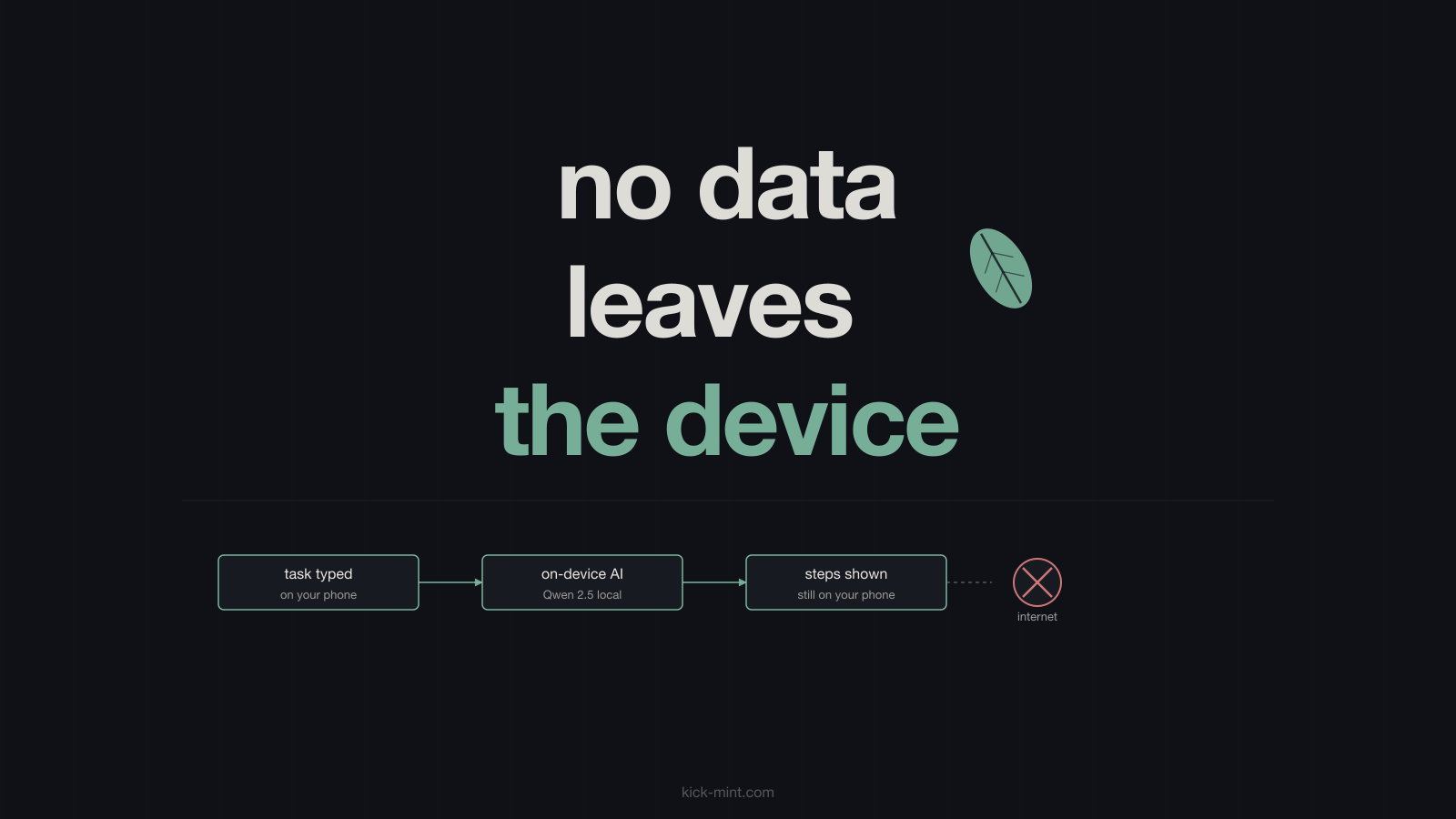
KickMint's privacy model is not a policy commitment. It is an architectural fact. There is no user account. There is no server-side profile. There is no API call when you use any AI feature.
The app stores everything in a local SQLite database and the iOS keychain. When you request a task breakdown, the task text goes into a prompt that runs through llama.cpp entirely on your iPhone. The prompt and response are stored locally and not transmitted. KickMint's NSPrivacyTracking is set to false in PrivacyInfo.xcprivacy, which Apple requires for App Store review. The app declares no data collection to Apple in the App Privacy section of its listing.
This is verifiable. The app's network traffic can be inspected with a proxy tool like Charles or mitmproxy. During normal use (excluding the one-time initial model download), no outbound requests are made. That is not a claim that requires trusting a privacy policy. It is a behavior you can confirm yourself.
How the model actually runs on your phone
This is the part that seems technically improbable until you understand what has happened to model compression over the last two years.
KickMint bundles the llama.cpp inference runtime as a compiled framework inside the iOS app binary. On first launch, the app downloads Qwen 2.5 1.5B in GGUF format, quantized to Q4_K_M, from Cloudflare R2. That file is roughly 1 GB. The quantization process reduces the model from its original full-precision size while preserving most of its output quality. Q4_K_M specifically uses a k-quant approach: higher precision for the model's most critical weights, lower precision for less influential ones. The result is a model small enough to run on a phone but capable enough to produce useful task breakdowns and if-then implementation intentions.
On iPhone 14 and newer, the A15 and A16 chip Neural Engines handle the matrix multiplications efficiently. A breakdown typically takes a few seconds. On iPhone 11 through 13, the app falls back to a rule-based breakdown rather than running the full model. The older chips can technically run the model, but the experience is slower than the rule-based path, so we default to rules on those devices. All other features, including Panic Button, Time-Now Anchor, Waiting Mode, and encrypted sync, work identically on all supported hardware.
After inference, llama.cpp deallocates the model buffers. The output goes to the local database. There is no log of the inference call anywhere outside the device.
The Apache 2.0 license and what it means in practice
Qwen 2.5 1.5B is released by Alibaba's Qwen team under the Apache 2.0 license. This is a permissive open-source license that allows commercial use, modification, and distribution, requiring attribution. For an AI model, the practical consequences are:
The weights are publicly available and auditable by anyone. A researcher, a journalist, or a curious user can download the same model weights, run the same prompts, and compare the outputs to what KickMint produces. We cannot ship a different model and call it Qwen 2.5. We cannot silently add fine-tuning without that change being detectable.
There is no vendor lock-in. No per-inference fee goes to a model provider. No vendor can deprecate the model version we ship without warning, because the model is bundled in the app binary. If Alibaba tomorrow decided to pull Qwen 2.5 1.5B from public availability, the version already bundled in KickMint would continue to work.
Compare this to a cloud AI approach: when an app calls the OpenAI API, neither the app developer nor the user knows which model version is responding on any given day, what fine-tuning has been applied to it, or what training data it consumed. The model is an opaque service. The Apache 2.0 Qwen model is an auditable artifact.
What happens when you get a new phone
This is the question every no-cloud app has to answer honestly, because "we hold nothing" and "your data follows you" are in tension. KickMint answers it by leaning on the backup you already have rather than building a server.
The app's database sits in its own sandbox and is included in Apple's encrypted iPhone backup. Restore a new iPhone from an iCloud or Finder backup and your tasks, journal entries, breakdowns, and settings are already there when the app opens. That transfer runs between you and Apple under Apple's encryption; we are not in the path and never see the contents.
The flip side is real and worth saying plainly: if you delete the app with no backup, the data is gone, and we cannot recover it for you, because we never had it. A no-cloud app cannot have it both ways. We considered building an end-to-end encrypted sync service and decided against it: it would have meant operating a server that receives your traffic, which is exactly the thing this app exists to avoid.
What changes when there is no server-side profile
The absence of a server-side profile is not a constraint. It is a set of concrete guarantees that follow from the architecture:
There is nothing to subpoena. A legal demand served on KickMint cannot compel production of your task data because KickMint does not have it. The data is on your device.
There is nothing to breach. A server compromise cannot expose your health context or task history because neither exists on our servers. The attack surface is your device, and iOS's Data Protection layer encrypts local storage at rest.
There is nothing to sell. We cannot monetize your behavioral data to data brokers or advertisers because we do not have it. This is not a policy choice that could change with a terms update. It is a structural impossibility.
There is no account to delete. You do not need to submit a GDPR or CCPA data deletion request for data that does not exist on a server. Deleting the app deletes your data.
The tradeoffs you should know before deciding
KickMint is iOS only. If your primary device is Android, or you need access from a Windows or Mac browser, this does not help you.
The first launch requires downloading roughly 1 GB of model data over Wi-Fi. On a slow connection, that takes time. You need available storage.
iPhone 14 and newer get full on-device AI. iPhone 11, 12, and 13 get the rule-based fallback for task breakdown. The rest of the app is identical.
There is no cross-device access at all. Your data lives on one iPhone. If you genuinely need the same task list on a phone and a laptop at the same time, KickMint is the wrong tool and we would rather say so here than sell you the subscription.
We are a small operation (one developer, Lithuanian sole proprietor). We do not have the support infrastructure of a venture-backed app. If the app breaks badly, response time may be slower than you are used to from larger products.
These are the honest tradeoffs. The on-device model is real, but it comes with real constraints that matter to some people.
Related reading
Frequently asked questions
What data does KickMint collect?
None. KickMint's NSPrivacyTracking is set to false in PrivacyInfo.xcprivacy. Tasks, voice transcripts, AI prompts, AI outputs, cycle data, medication timing, sleep data, and completion notes all remain on your device. There is no account, no sync, and no KickMint server that receives any of it.
How does on-device AI inference work on an iPhone?
KickMint bundles the llama.cpp inference runtime inside the iOS app. On first launch, it downloads the Qwen 2.5 1.5B model file (roughly 1 GB) from Cloudflare R2. After that, when you request a task breakdown, llama.cpp loads the model into memory and runs inference on the iPhone's Neural Engine and CPU. No network request is made during inference. The output is generated locally and stored in the app's encrypted local database.
What is Apache 2.0 and why does it matter for an AI model?
Apache 2.0 is a permissive open-source license. For an AI model, it means the weights are publicly available and auditable. No vendor can silently change the model behavior without it being detectable. KickMint uses Qwen 2.5 1.5B under Apache 2.0, which means the model bundled with the app is the same model anyone can inspect and verify.
Does KickMint work without a subscription?
Yes. The free tier includes voice capture, rule-based task breakdown, gentle streak protection, Panic Button with paced breathing, Stealth Mode, and Time-Now Anchor for time blindness. Pro adds on-device AI task breakdown, sound calibration, detailed weekly insights, and the full focus soundscape library (five tracks are free).
Is KickMint a HIPAA-covered entity?
No. KickMint is a consumer productivity app, not a healthcare provider, health plan, or healthcare clearinghouse. It does not handle protected health information as defined under HIPAA. The on-device data model means health-adjacent context (medication timing, cycle phase, sleep) stays on the device regardless of regulatory status.
What happens to my data if KickMint closes down?
Your data stays on your device. KickMint does not hold a server-side copy of your tasks or health context. The AI model file remains on your iPhone. Because we hold no copy, deleting the app without a device backup deletes the data for good.
What iPhones are supported and what are the limitations?
KickMint supports iPhone 11 and newer running iOS 17.0 or later. iPhone 14 and newer run the full on-device Qwen 2.5 1.5B AI model. iPhone 11, 12, and 13 use a rule-based fallback for task breakdown (all other features work identically). The 1 GB model download on first launch requires a Wi-Fi connection and available storage.